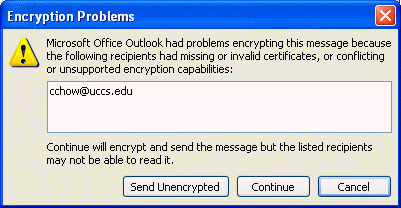
Please submit youir certificate request to me by 9/1 Tuesday night, I will return the signed certificate by Wednesday 9/2 night and give you chance to set it up the personal cerifiicate by next Friday and be able to sign and encrypt email. Please use your ufp account as Common Name and uccs email address for Email. Replace csnetReq.pem with <yourlogin>Req.pem and csnetKey.pem with <yourlogin>Key.pem
Login to walrus
cd public_html
/etc/pki/tls/misc/CA –newreq
cp newreq.pem csnetReq.pem
mail -s "sign request" chow@eas.uccs.edu < csnetReq.pem
cp newkey.pem csnetKey.pem
After receiving your certificate request, I will sign it on athena, leave a copy in http://walrus.uccs.edu/~cs591/cert, and return the signed certificate in an email.
Assume your login name is csnet, here are the steps to create the .p12 file with your client certificate and private key for sending secure email and accessing secure web page on walrus.uccs.edu:
- After receiving my email with csnetCert.pem as attachment, run the following command:
openssl pkcs12 -export -in csnetCert.pem -inkey csnetKey.pem -out csnetClient.p12
- Download from http://walrus.uccs.edu/~cs591/cert/ the csnetClient.p12 to the PC for accessing the midterm web page
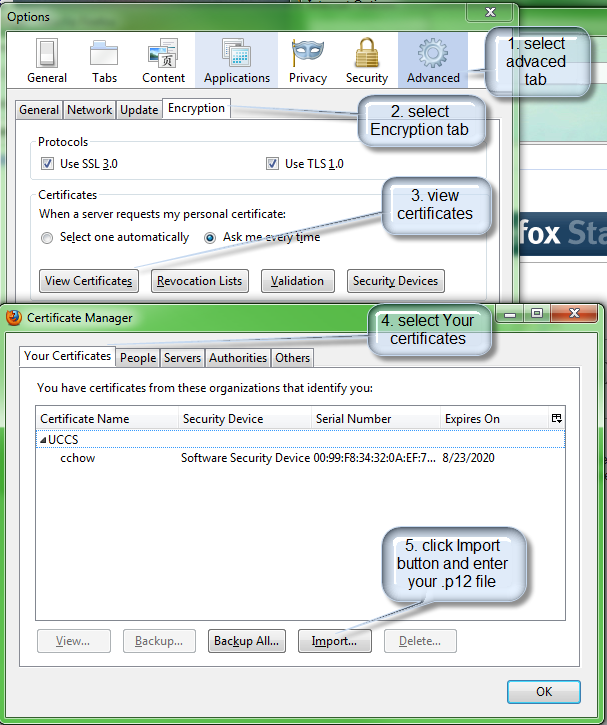
- Import csnetClient.p12 file as your client certificate to firefox
- Start firefox
- Select Tools | Options
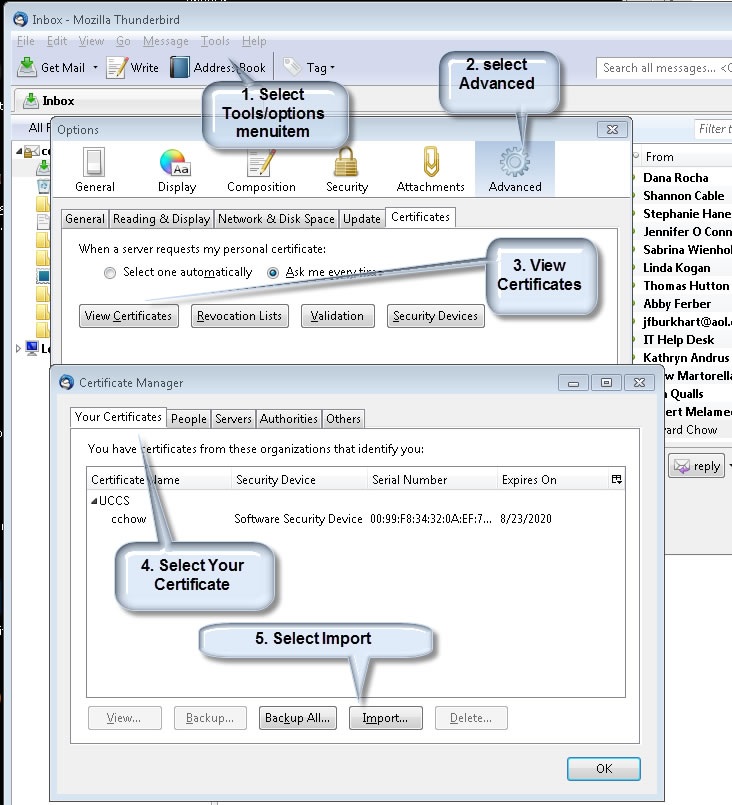
- Select Advanced | Encryption tab then hit the “View Certificate” button
- Select Your Certificates tab then hit “Import” button
- Select the csnetClient.p12 file to import the certificate
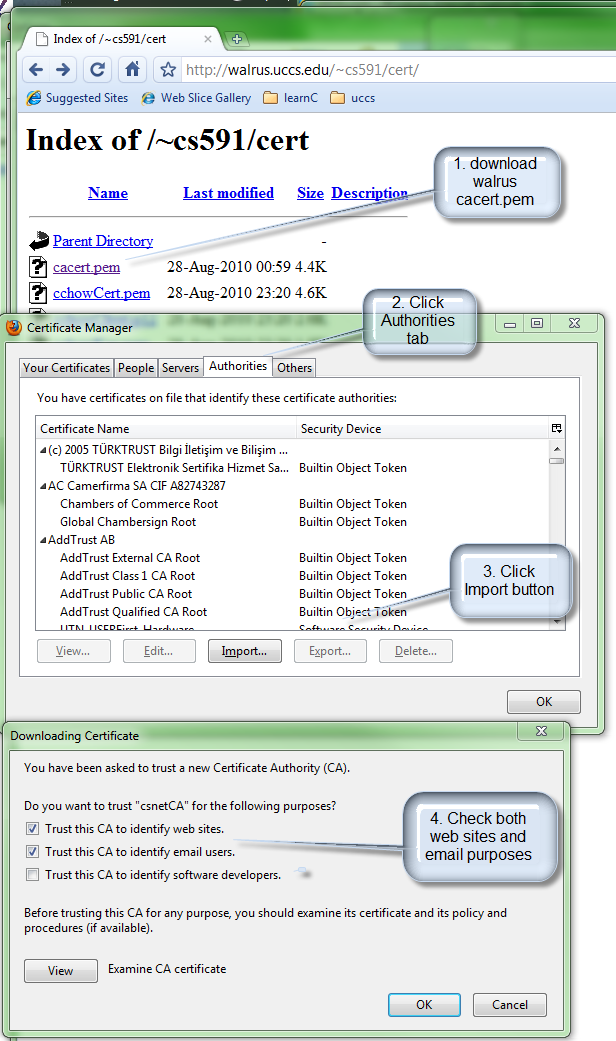
- Import cacert.pem file as a trusted CA for email and web site identification purposes.
- repeat the above steps but choose "Authorities tab"
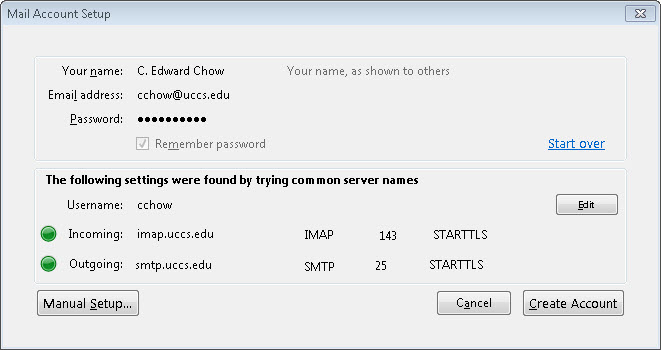
- Sett up thunderbird certificates (Personal and CA certificates)
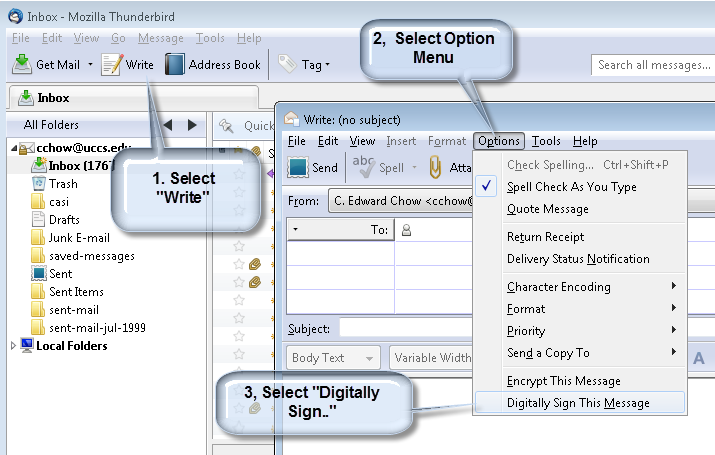
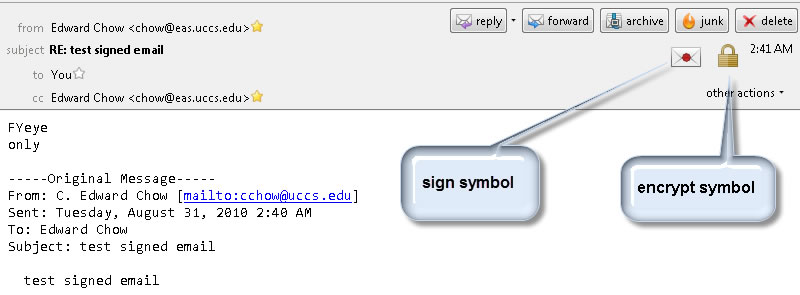
- Setting sign/encrypt option
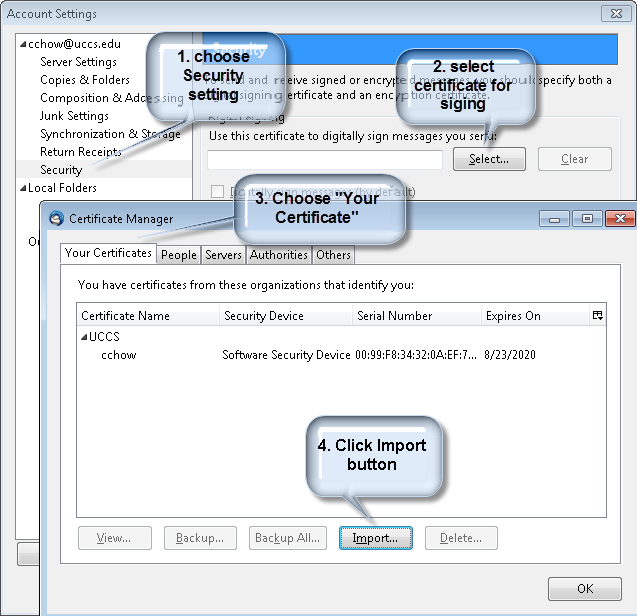
- When choose the digitally sign, it will ask to select personal certificate.
- Download http://walrus.uccs.edu/~cs591/cert/ the csnetClient.p12 to the PC you would like to use to to send secure email and access the midterm web page
- Import csnetClient.p12 file as your client certificate to IE certificate store,
if you use outlook (mail client) and IE(web browser) or Chrome
- Start IE
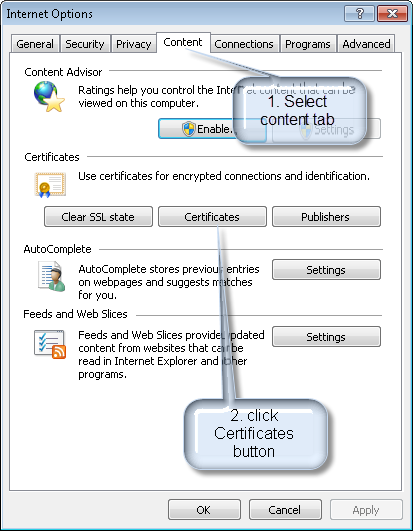
- Select Tools | Internet Options
- Select Content tab then hit the “Certificates” button
- Select Personal Certificates tab then hit “Import” button
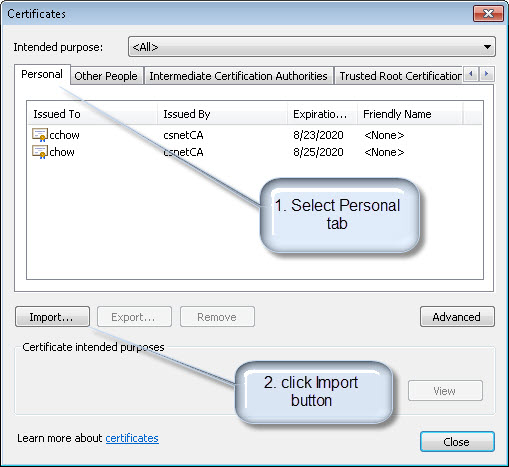
- Select the csnetClient.p12 file to import the certificate
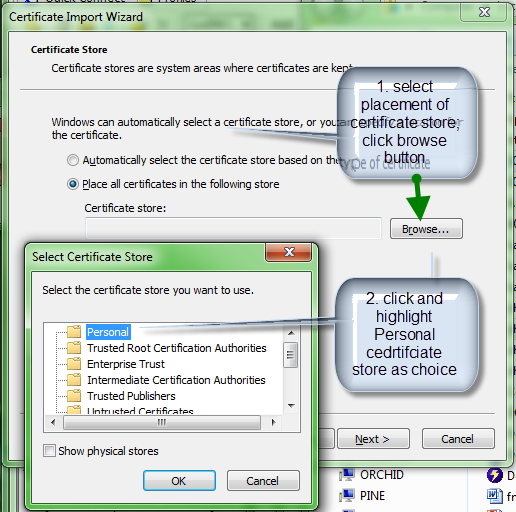
- In Certificate Import Wizard,
- when asked for file, choose "personal informattion exchange" as file type so that you can see .p12 file type.
![p12 file type]](cert/p12FileImport.png)
- enter password (which the same export password you enter when generate .p12 file).
- Certificate store, click "Place all certificates in the following store" choice; click browser, and choose "Personnel".
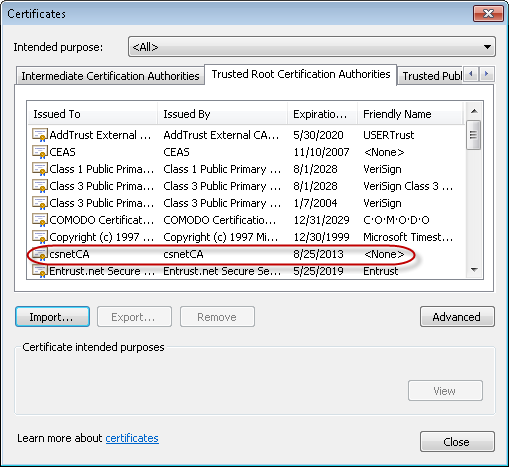
- Download the cacert.pem from http://walrus.uccs.edu/~cs591/cert/cacert.pem and repeat the above steps but
- choose "Trusted Root Certification Authorities"
- select "All Files" as file type to see the .pem file.
- choose to "Place all certificates in the following store, and pick default "Trusted Root Certification Authorities" choice.
- Send signed/encrypted emails
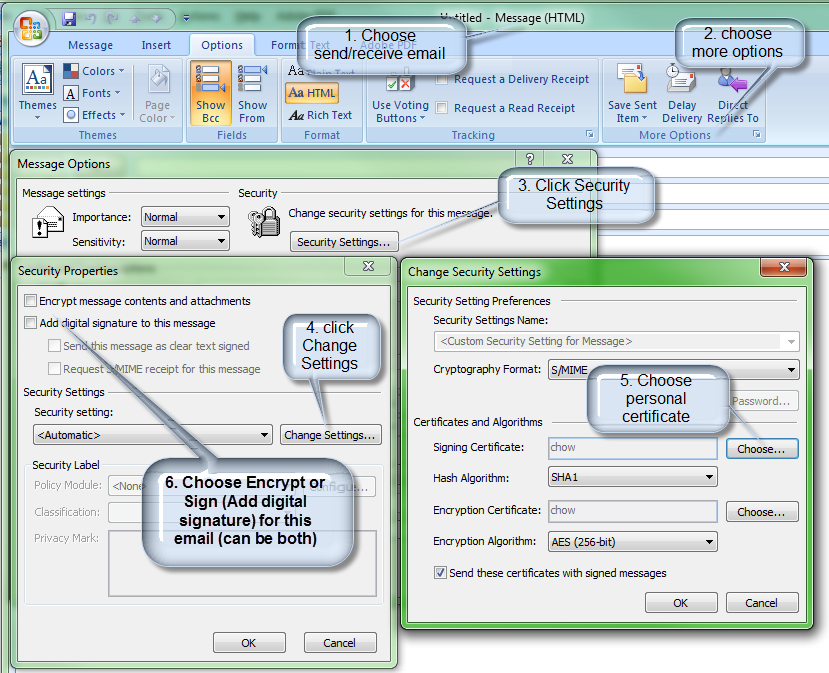
http://cs.uccs.edu/~cs591/outlookImap.html